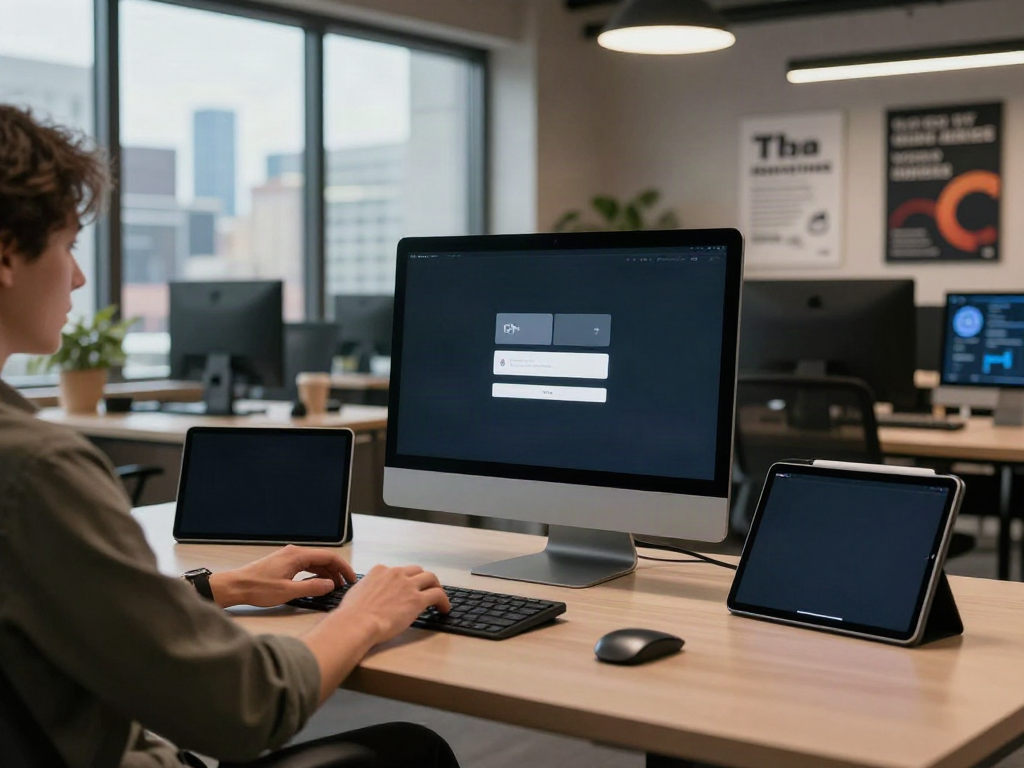
Introduction to Virtual Desktop Concepts
In today's increasingly digital world, the demand for flexible, efficient, and powerful computing solutions has led to the rising popularity of virtual desktop technology. A virtual desktop allows users to access their computing environment from virtually anywhere, using a wide variety of devices. This article delves into the multifaceted world of virtual desktop technology, exploring its definition, benefits, performance enhancement, setup requirements, best practices, advanced features, and the metrics for measuring success.
What is a Virtual Desktop?
A virtual desktop refers to a computing environment that replicates the functionalities of a physical desktop but is hosted on a remote server. This virtual environment allows users to access applications, files, and resources regardless of their location. Users can interact with a familiar desktop interface, including their operating system, using devices such as laptops, tablets, or smartphones.
The architecture of a virtual desktop can take several forms, including Desktop-as-a-Service (DaaS), where service providers deliver virtual desktops over the internet, or Virtual Desktop Infrastructure (VDI), where organizations host virtual desktops on local servers. Both models aim to enhance user mobility and productivity while centralizing management and security.
Benefits of Using a Virtual Desktop
Implementing a virtual desktop solution offers numerous advantages:
- Accessibility: Users can access their virtual desktops from anywhere and on any device with an internet connection, enabling them to work remotely or on the go.
- Cost Efficiency: Organizations can reduce hardware costs since the processing power is leveraged through remote servers rather than local machines. Virtual desktops can also extend the lifecycle of existing hardware.
- Scalability: Virtual desktop environments can be easily scaled to accommodate an organization's growing needs, allowing for quick provisioning of new desktops without significant hardware investments.
- Enhanced Security: Data is stored centrally on secure servers rather than individual devices, reducing the risk of data breaches resulting from device loss or theft.
- Simplified Management: Centralized administration of virtual desktops makes it easier to deploy updates, manage configurations, and troubleshoot issues, leading to reduced operational overhead.
How Virtual Desktop Enhances Performance
Performance is a critical consideration when it comes to virtual desktop solutions. Several factors contribute to the enhanced performance of virtual desktops:
- Resource Allocation: Virtual desktops can be configured to allocate resources dynamically, ensuring that users have access to the necessary processing power and memory without compromising overall performance.
- Optimized Workflows: With the capability to integrate with various applications and cloud services, virtual desktops can streamline workflows by allowing users to access multiple resources seamlessly.
- Reduced Latency: By hosting virtual desktops closer to the end-user or utilizing edge computing, organizations can minimize latency issues, leading to a smoother user experience.
- Performance Monitoring: Advanced analytics and monitoring tools can identify performance bottlenecks, enabling quick remediation and ensuring optimal performance of the virtual desktop environment.
Setting Up Your Virtual Desktop Environment
Creating a successful virtual desktop environment requires careful planning, consideration of hardware and software requirements, and a methodical configuration process. Below are the essential components of setting up your virtual desktop successfully.
Essential Hardware for Virtual Desktop
The hardware requirements for a virtual desktop infrastructure can vary significantly based on organizational needs, the number of users, and the types of applications used. Key hardware components include:
- Server Hardware: High-performance servers are necessary to host virtual desktops and should be equipped with robust CPU resources, ample RAM, and sufficient storage capacity to handle multiple simultaneous users.
- Network Infrastructure: A strong and reliable network is crucial for a smooth user experience. Organizations should consider upgrading their network bandwidth and ensuring low latency connections for remote access.
- End-User Devices: Users should have devices that can handle remote desktop protocols, with considerations for processing power and graphical capabilities for resource-intensive applications.
Software Requirements for Effective Use
The software ecosystem for virtual desktops encompasses operating systems, virtualization software, and applications. Key considerations include:
- Operating System: The choice of operating system on the virtual desktop (commonly Windows or Linux) should align with organizational standards and user requirements.
- Virtualization Software: Solutions such as VDI platforms or DaaS offerings provide the infrastructure needed to host and manage virtual desktops effectively.
- Security Software: Implementing robust security measures, including anti-virus software, firewalls, and endpoint protection, is crucial to safeguarding user data in a virtual environment.
Configuration Steps for Your Virtual Desktop
The configuration of a virtual desktop environment involves several key steps:
- Architectural Design: Outline the virtual desktop architecture based on user requirements, including resource allocation, security measures, and network setup.
- Provisioning Desktops: Create virtual desktops, installing the necessary operating systems and applications required by users.
- Testing and Optimization: Before rolling out to the entire organization, conduct extensive testing to identify performance issues, usability problems, and any necessary optimizations.
- Deploying the Solution: Roll out the virtual desktop environment to users, providing necessary training and support during the transition.
Best Practices for Using Virtual Desktop
Even though virtual desktops present numerous advantages, users and IT teams must follow certain best practices to ensure efficiency, security, and performance. Below are some actionable recommendations.
Optimizing Settings for Better Performance
Optimizing the configurations of virtual desktops can lead to improved performance and user satisfaction. Consider the following strategies:
- Adjusting Resource Allocation: Fine-tune CPU, memory, and storage allocations based on the performance needs of different user groups and applications.
- Utilizing Data Compression: For remote connections, employing data compression technology can reduce bandwidth usage without compromising quality.
- Remote Access Protocols: Choose the most suitable remote access protocol, such as PCoIP or RDP, that best fits the applications being used.
Security Tips for Virtual Desktop Usage
Security is a paramount concern with any deployment of virtual desktop technology. Organizations should implement the following best practices:
- Data Encryption: Use encryption protocols for data in transit and at rest to ensure that sensitive information is not easily accessible by unauthorized parties.
- Multi-Factor Authentication: Employ multi-factor authentication (MFA) to add an extra layer of security when accessing virtual desktops.
- Regular Software Updates: Keep all software and security systems up to date to mitigate vulnerabilities and protect against emerging threats.
Common Pitfalls to Avoid with Virtual Desktop
Understanding and avoiding common pitfalls associated with virtual desktops can save organizations time and resources:
- Neglecting User Training: Without adequate training, users may struggle to adapt to a virtual desktop environment, leading to decreased productivity.
- Ignoring Performance Metrics: Failing to monitor performance metrics can result in undetected issues that affect user experience and satisfaction.
- Over-Provisioning Resources: Providing excessive resources can lead to unnecessary costs; instead, optimize based on actual user needs.
Advanced Features of Virtual Desktop
As technology advances, virtual desktop solutions become increasingly sophisticated, offering users a range of advanced features that can enhance productivity and user experience.
Multimonitor Support and Workflows
Many virtual desktop solutions now support multiple monitors, which significantly enhance productivity for users who benefit from expanded screen real estate. Users can:
- Streamline Multitasking: By utilizing multiple monitors, users can easily reference documents, applications, and data in real-time, reducing the time spent switching between windows.
- Customize Layouts: Tailor screen layouts to suit individual workflow preferences, creating a more comfortable and efficient working environment.
Integrating Cloud Services with Virtual Desktop
Integrating cloud services with virtual desktops offers numerous benefits, including:
- Improved Collaboration: Cloud storage solutions allow teams to collaborate effectively on projects, with streamlined access to shared documents and files.
- Efficient Data Backup: Storing essential files in the cloud ensures that data is backed up securely, reducing the risk of data loss.
- Access to Advanced Applications: Virtual desktops can connect seamlessly with cloud-based applications, providing users with powerful tools and software without local installation.
Customization Options for Virtual Desktop
Customization is a significant factor that enhances the user experience in virtual desktops. Users can benefit from:
- User Profiles and Preferences: Creating personalized user profiles allows individuals to configure their environments to suit personal preferences and maximize comfort.
- Application Accessibility: Organizations can customize which applications are readily available to each user or user group, aligning resources with specific project needs.
Measuring Success with Your Virtual Desktop
To ensure that virtual desktop implementations remain effective, it is essential to measure their success rigorously. The following metrics can provide valuable insights into performance and user satisfaction.
Key Performance Indicators for Virtual Desktop Usage
Organizations should track specific key performance indicators (KPIs) to assess the effectiveness of their virtual desktop environments:
- Login Times: Monitoring the average time it takes for users to log in can identify potential bottlenecks. Long login times may indicate performance issues that need attention.
- User Satisfaction Scores: Soliciting user feedback through surveys or monitoring tools can provide insights into satisfaction levels and areas for improvement.
- Resource Utilization: Keeping track of CPU, memory, and storage usage will help determine if current virtual desktop configurations are optimal or need adjustments.
User Feedback and Continuous Improvement
Collecting and analyzing user feedback is critical for enhancing the virtual desktop experience. Organizations can implement:
- Regular Check-Ins: Conduct periodic meetings with users to gather their insights and address any concerns promptly.
- Feedback Tools: Utilize tools designed for feedback collection, allowing users to report issues or suggest enhancements easily.
Future Trends in Virtual Desktop Solutions
The landscape of virtual desktop technology is continually evolving, with several emerging trends shaping the future of this domain:
- Increased AI Integration: Artificial intelligence could lead to enhanced automation of routine tasks and proactive management of virtual desktop resources.
- Greater Configurability: Future solutions will likely feature even more customizability options, allowing organizations to create tailored environments more suited to unique operational needs.
- Enhanced Cloud Integration: The seamless integration of virtual desktops with various cloud services will continue to strengthen, improving collaboration and efficiency further.